Development log

How photoArchive became a product.

A newest-first editorial history of the product eras: what problem each phase solved, what changed, and what it made possible for the photographer using the archive.

Showing newest first.

Public readiness

Turning a daily-driver system into something another photographer can start

Problem: photoArchive is already in active personal use, but active use is not the same thing as public readiness. A self-hosted photo system needs setup, recovery, and storage behavior that feel trustworthy before it should ask someone else to rely on it.

Change: The guided source picker, portable platform-aware data paths, Quick Guide, Library Health with safe restore, and optional AI packs are shipped on main. The remaining work is durable Windows packaging, toolchain hardening, and public distribution: a real installer exists, but it is not yet public-release-ready.

Effect: The shipped readiness layer lowers setup and recovery anxiety while preserving the power of a local-first archive. Windows users still need the distribution work to finish before the installer is ready for a public release.

  • Guided source picker shipped
  • Portable data paths shipped
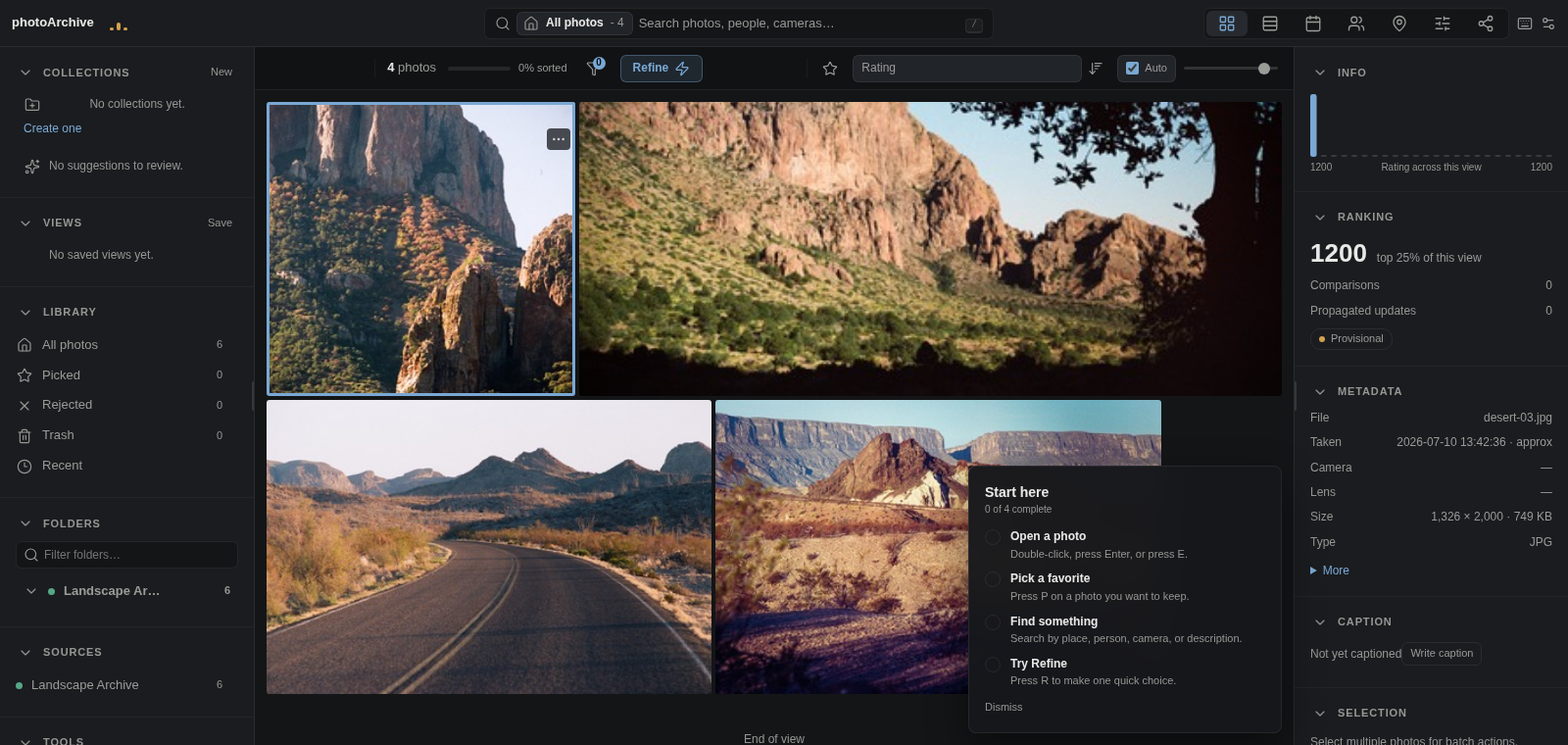
  • Quick Guide shipped
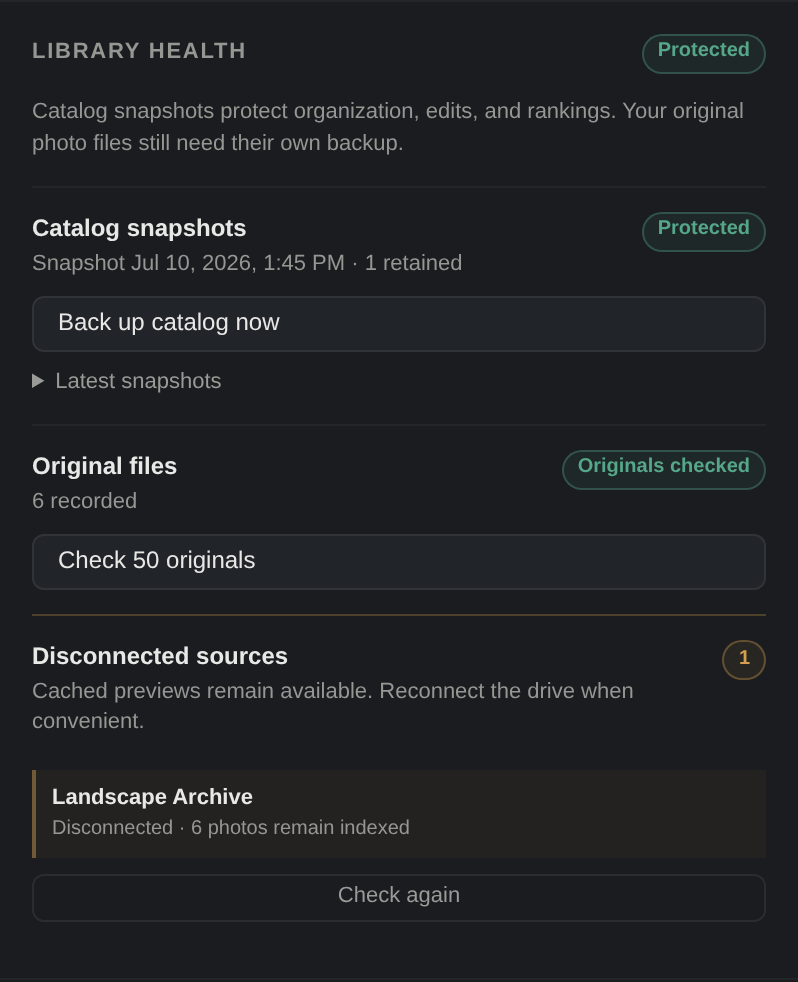
  • Library Health + safe restore shipped
  • Optional AI packs shipped
  • Windows installer exists; public release pending
Technical note

Originals remain the source of truth. Indexes, previews, captions, and embeddings are treated as rebuildable product state.
Public readiness
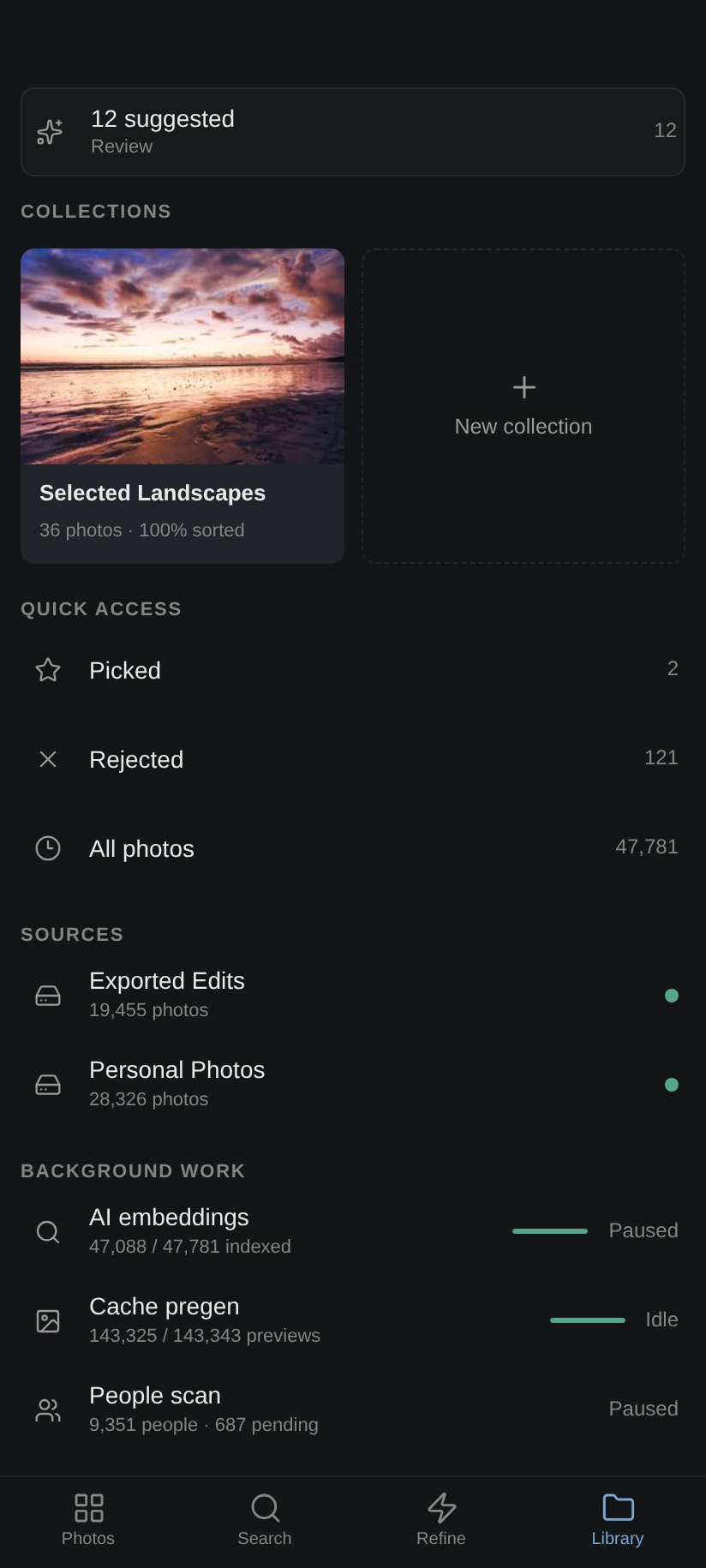
photoArchive Library grid with the Quick Guide checklist open over the current desktop interface.
The shipped Quick Guide introduces core Library actions inside the working interface.
Public readiness
photoArchive Library Health panel showing catalog protection, original checks, and a disconnected source that remains indexed.
Library Health makes backup state, original checks, and safely disconnected sources visible.
Dev7 shipped

Dev7 finished the Develop surface around real review decisions

Problem: Develop had serious foundations, but photographers also need comparison, proofing, detail controls, saved working views, and a timeline that makes edits understandable after the fact.

Change: Dev7 shipped film UI, reference compare, lens calibration detail, soft proofing, XMP write-back, saved views, and timeline work.

Effect: Develop now reads less like a promising panel and more like a working room: compare, correct, proof, write back, and return to a view without rebuilding context.

  • 611 passed
  • 1 skipped
  • 6 subtests
  • XMP write-back shipped
Technical note

Verification evidence for this era is 611 passed, 1 skipped, and 6 subtests.

Dev7 shipped
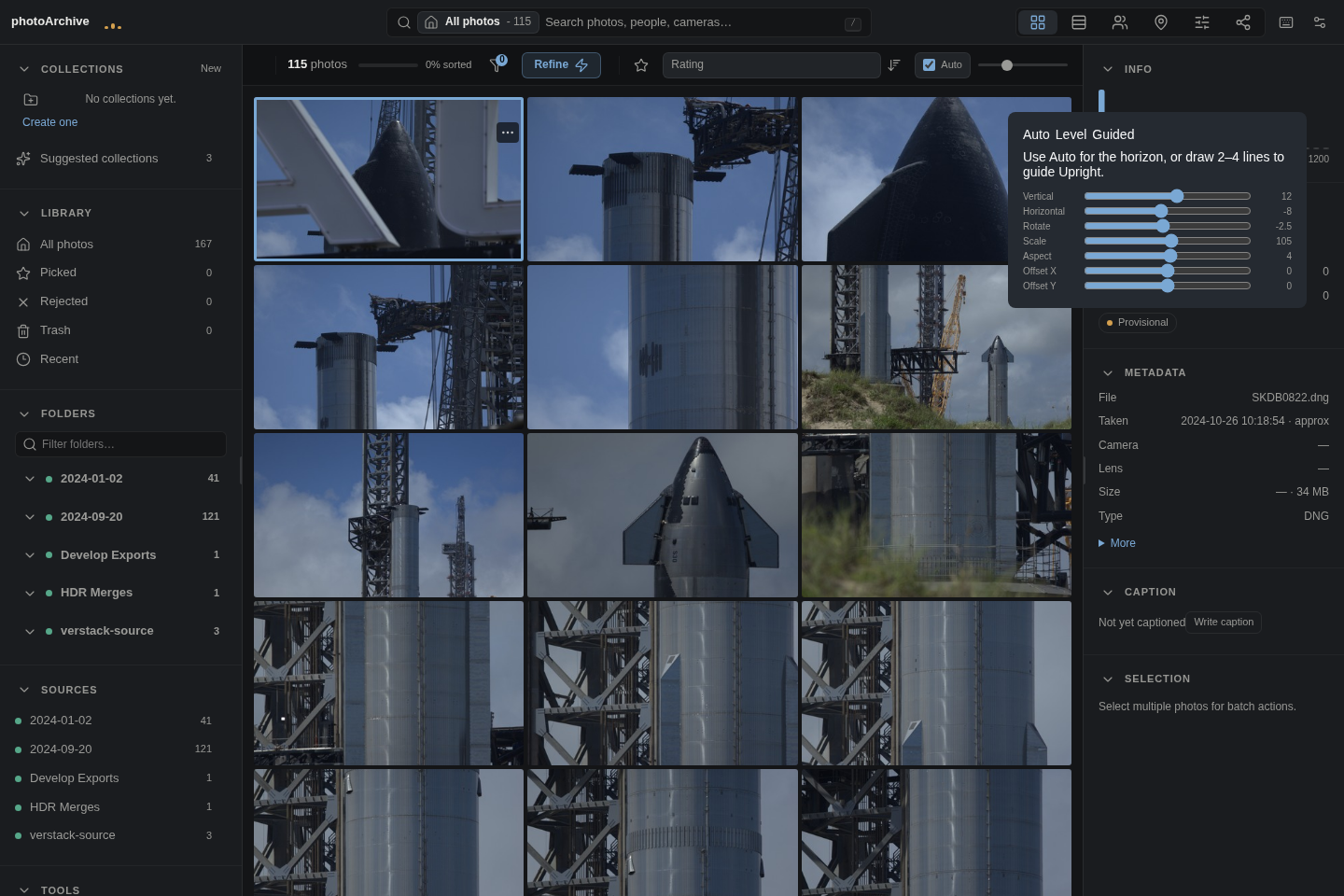
photoArchive Develop transform and upright correction controls.
Transform and Upright are part of the shipped Develop foundation.
Develop era

Develop crossed from ambition into an actual editing workflow

Problem: A photo archive that can find and rank images still leaves a gap if every meaningful edit has to happen somewhere else. The editing surface needed history, presets, color, geometry, and non-destructive behavior.

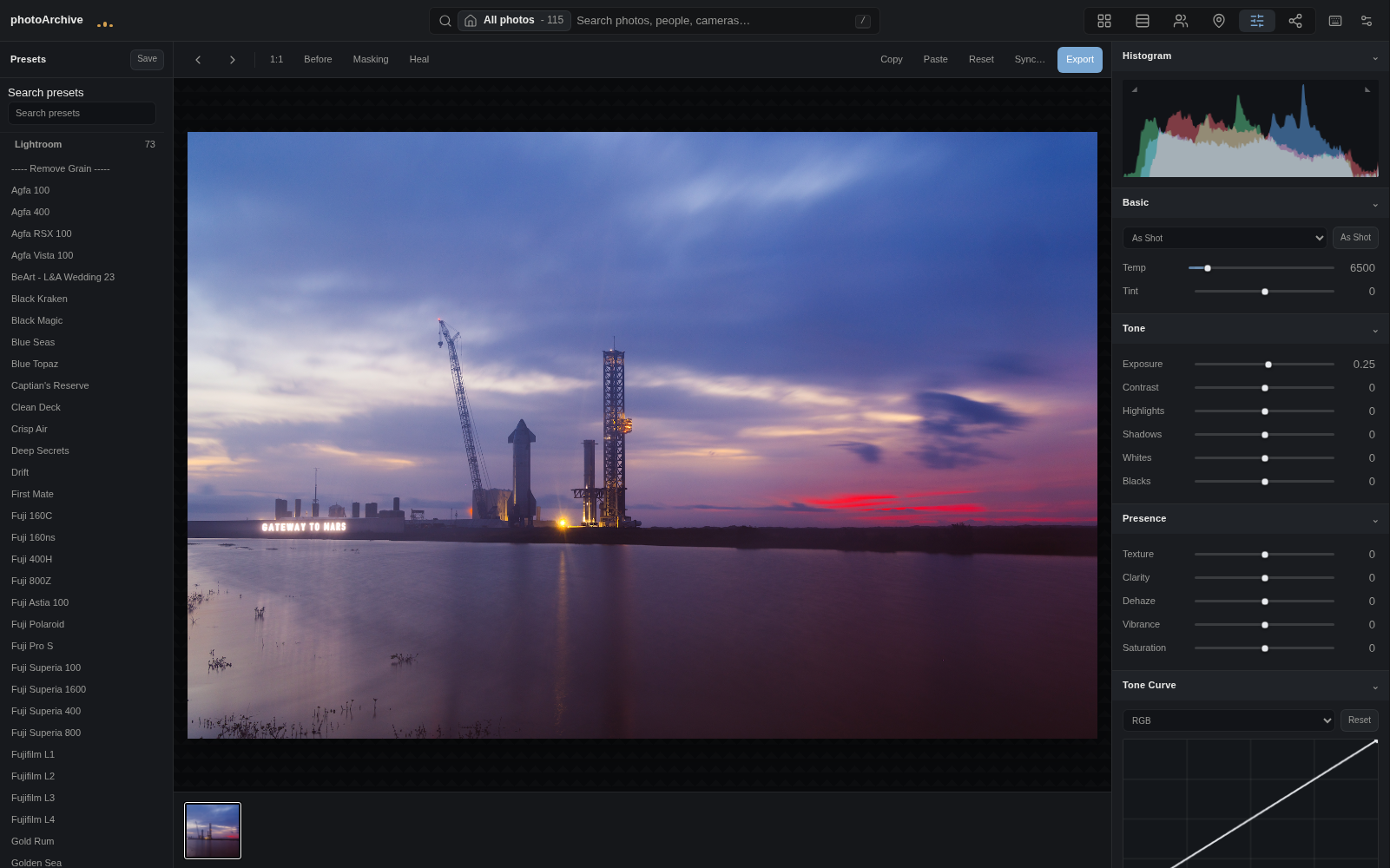
Change: The Develop work brought in non-RAW editing, color wheels, transform and upright correction, presets, history, virtual working concepts, and XMP import/export.

Effect: photoArchive became more than a finder. It can carry the image from selection into craft while preserving the local-first archive model.

  • 73 presets
  • Color wheels
  • Transform/Upright
  • XMP import/export
Develop era
photoArchive Develop workspace with a large preview, adjustment panels, history, and editing controls.
Develop is a real non-destructive editing room, not a decorative adjustment panel.
Consolidation

Search, proofing, stacks, and publishing converged around one desktop default

Problem: The product had many promising surfaces, but too many paths can make a tool feel like a lab. The working desktop needed a default place where search, review, proofing, and publishing made sense together.

Change: The interface consolidated around one desktop default while three-engine search, stacks, private proofing, and publishing became part of the same product story.

Effect: The archive started to feel less like separate experiments and more like a workflow: find the set, review it, make decisions, and publish selected output without exposing originals.

  • 3 search engines
  • Private proofing
  • Stack-aware review
  • Publishing workflow
Technical note

Search combines metadata, local vision embeddings, and VLM captions.

Consolidation
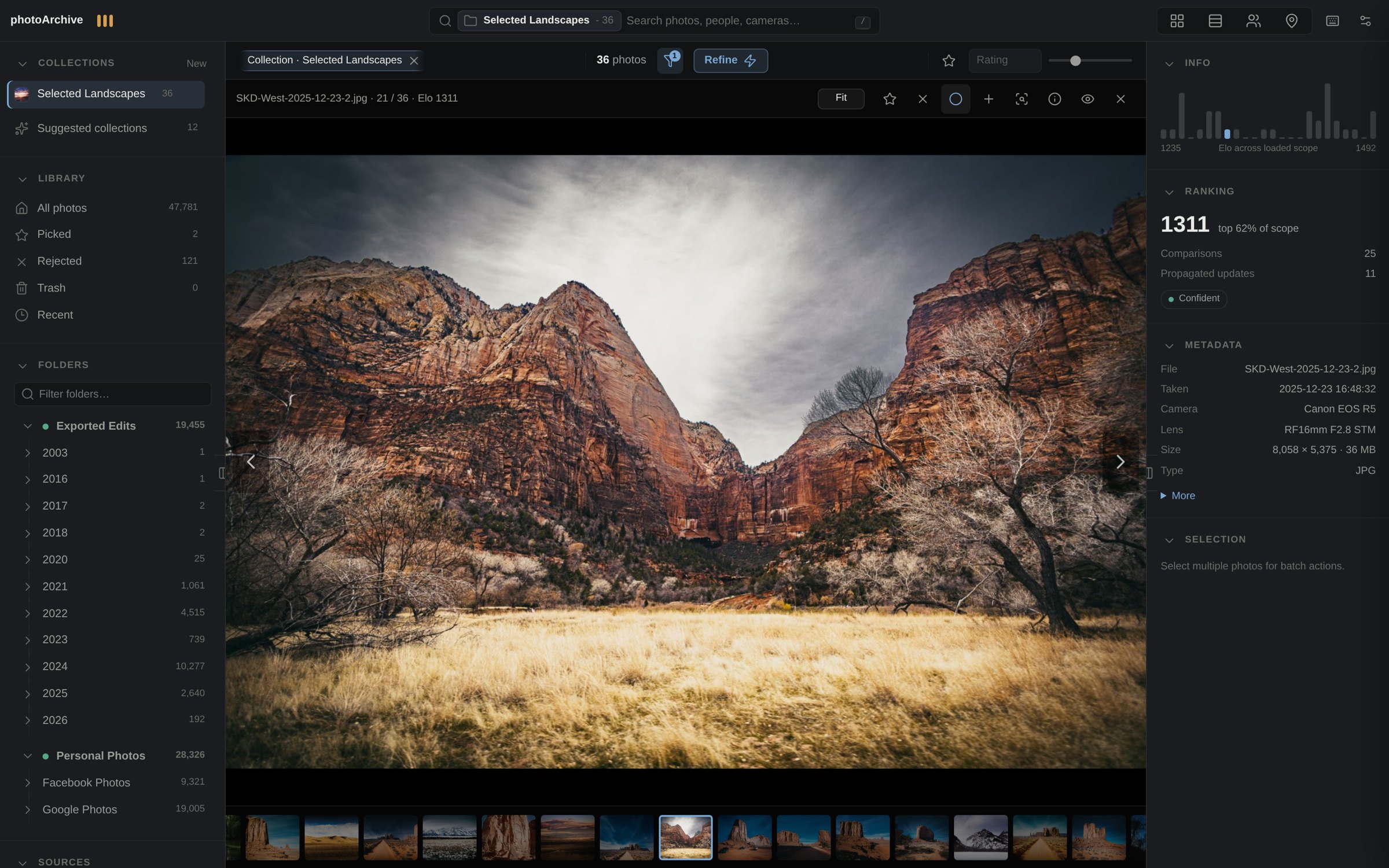
photoArchive loupe review UI with a large preview, filmstrip, metadata, and ranking panels.
Loupe keeps review calm while search, metadata, and ranking context stay close.
Phone and PWA

The archive left the desk without leaving local control

Problem: A private photo archive is much less useful if it only works at the main workstation. The phone experience needed to feel intentional, not like a cramped desktop page.

Change: The mobile work moved from companion access into an installable PWA direction, with timeline browsing and phone-scale controls for the same self-hosted archive.

Effect: photoArchive became pocketable for browsing and showing work while keeping the archive private and self-hosted.

  • Installable PWA direction
  • Phone timeline
  • Private network access
  • Same archive
photoArchive mobile library timeline in an installable phone-sized interface.
The phone library is a real access surface for the same self-hosted archive.
Real Library

The ranker became a library with memory

Problem: A ranking loop can identify favorites, but it does not solve the larger photographer problem: browsing a real archive, staying oriented, and finding images by what they are.

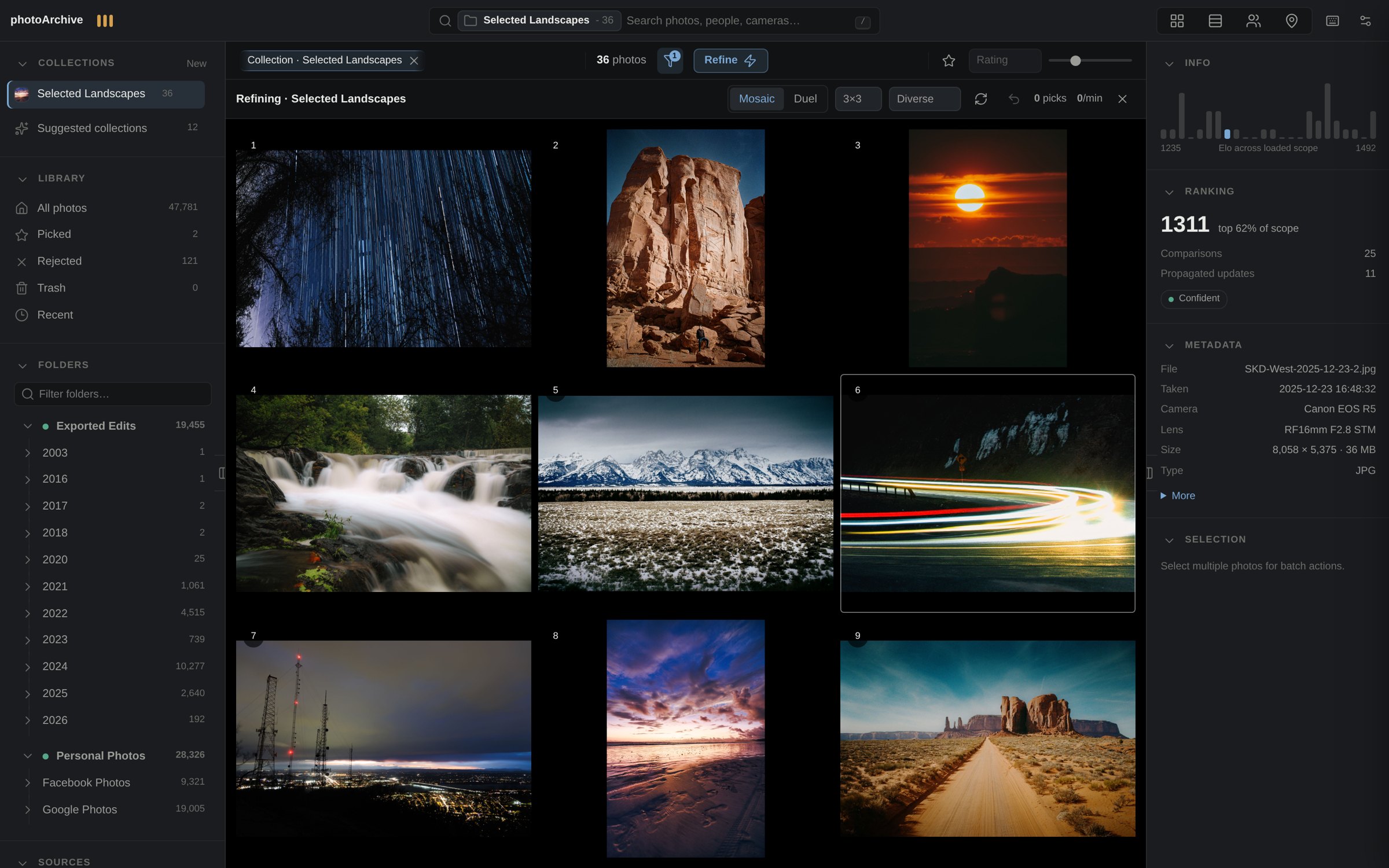
Change: The project became photoArchive: a justified library grid, folder context, metadata filters, loupe review, and early AI-assisted search moved the product beyond ranking alone.

Effect: The system gained a recognizable product shape. It could act like an archive, not just a preference experiment.

  • Library grid
  • Folder context
  • Loupe review
  • AI-assisted search
Real Library
April 2026 photoArchive Library interface with search, a mosaic grid, ranking modes, and AI indexing status.
The authentic April 2026 AI Library joined mosaic browsing, search, ranking, and indexing in one surface.
Web mosaic

Ranking moved into the browser and became visual at archive scale

Problem: Pairwise choices are fast, but a growing archive needs broader context. The old desktop loop needed to become more visual and more accessible.

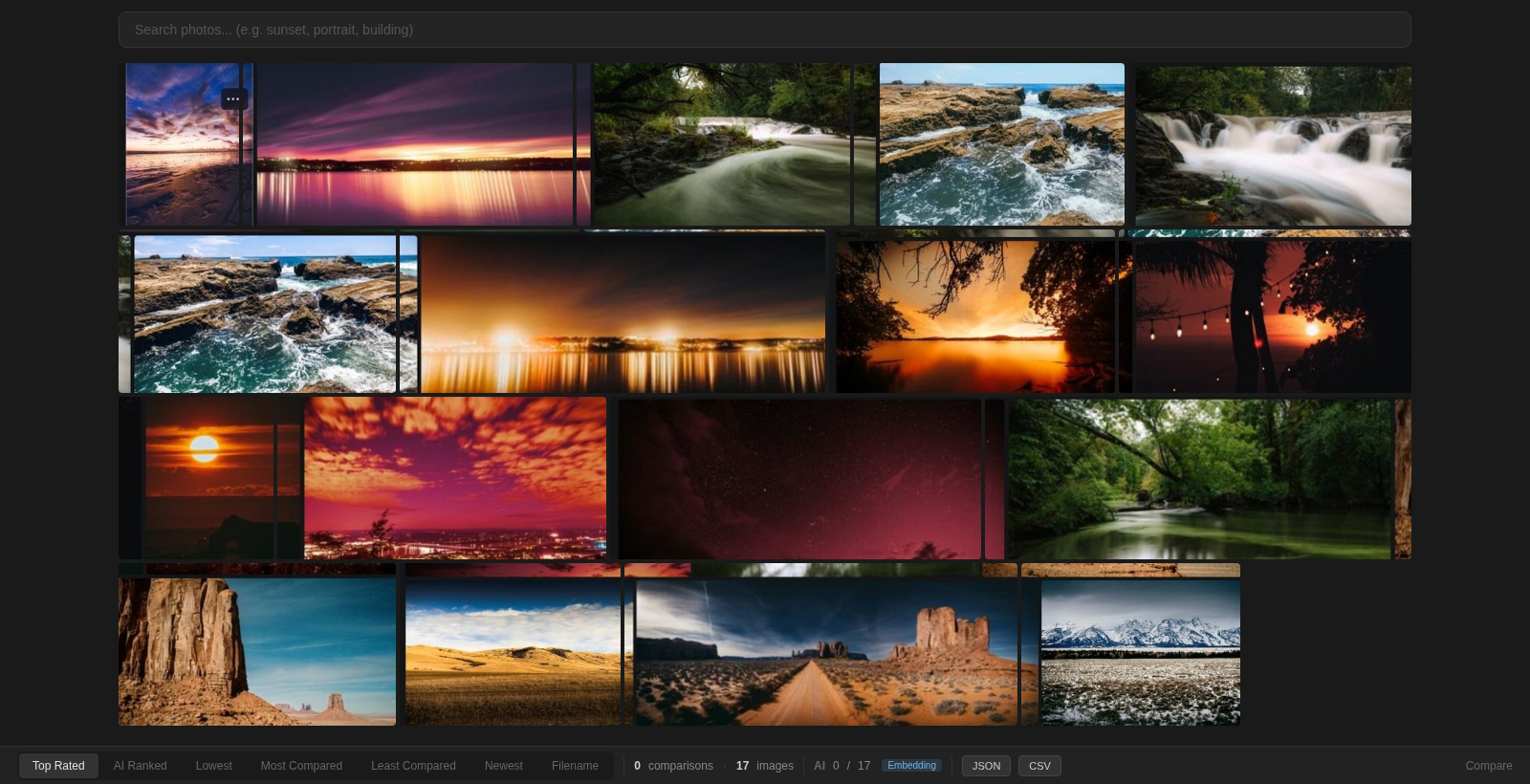
Change: The web era kept the simple taste question and expanded it into mosaic ranking, where multiple candidates could be compared in one pass.

Effect: Refine became easier to understand at a glance, and ranking started feeling like a product workflow rather than a utility script.

  • Browser workflow
  • Mosaic ranking
  • Refine direction
  • Visual comparison
Web mosaic
photoArchive Refine mosaic showing multiple candidate photos for visual ranking.
Refine turns quick visual choices into ranking evidence without star-rating every frame.
Desktop ranker

The prototype became a fast review habit

Problem: The earliest idea was useful, but a photo selection tool only matters if it can become muscle memory during real review sessions.

Change: Keyboard-driven controls, practical review behavior, and faster passes made the ranking loop usable as a desktop habit.

Effect: The core interaction survived because it was simple: look quickly, choose honestly, keep moving.

  • Keyboard review
  • Fast passes
  • Recoverable choices
  • Taste loop retained
Original PhotoRanker

It started with one question: which photo wins?

Problem: Large shoots make selection emotionally and mechanically expensive. Star ratings ask for too much certainty too early.

Change: The first PhotoRanker asked for a simpler answer: show two images, pick the stronger one, and let Elo-style scoring accumulate the signal.

Effect: That tiny interaction became the durable center of photoArchive: make choosing lighter, then let the archive learn from the choices.

  • Two-image choice
  • Elo-style scoring
  • Folder-based start
  • Preference as signal

Product page

Prefer the concise sales view?

The product page keeps the current pitch, proof, and availability separate from this historical log.